 mobiCut
Docs › Cut and time
Mute a segment's sound
Wind noise on the take-off, someone talking behind the camera: mute just that part.
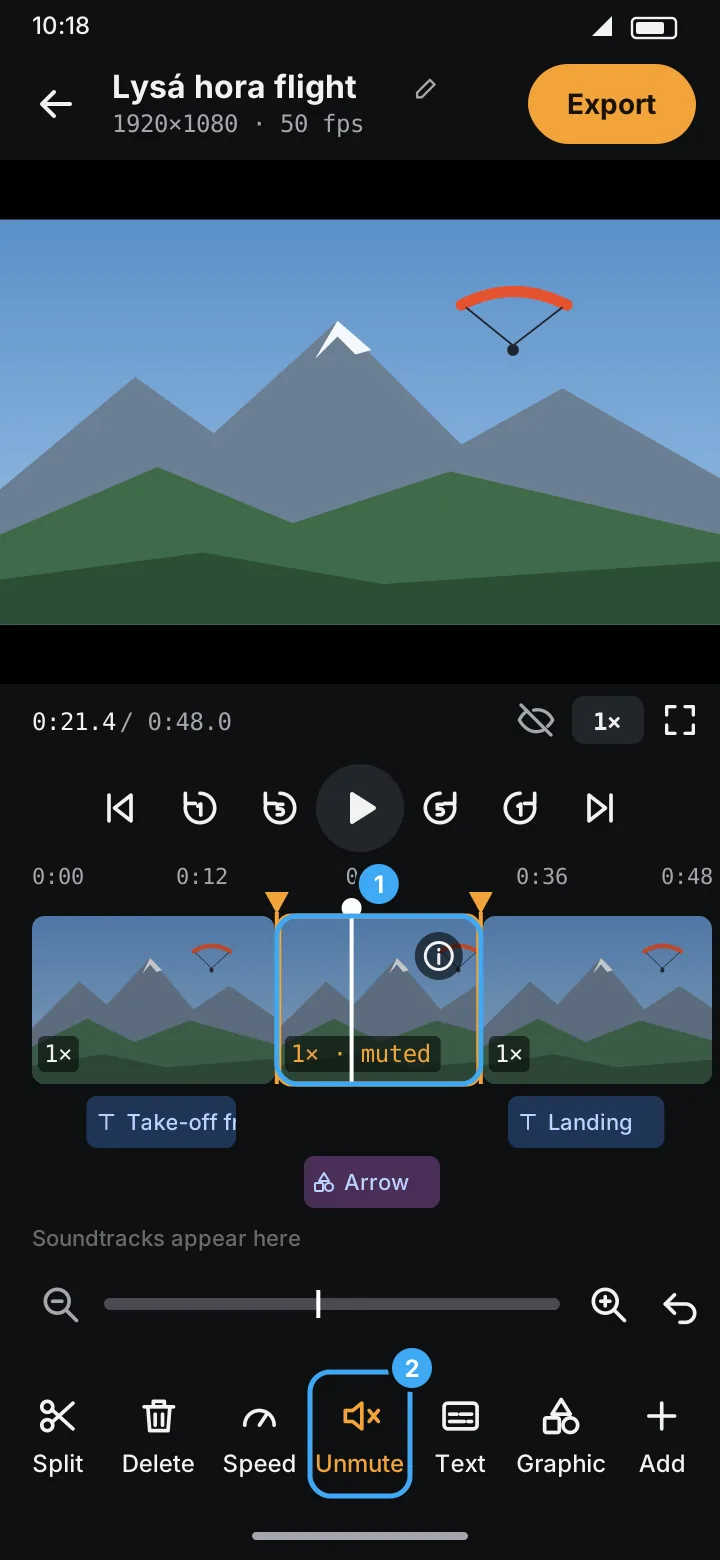
- Select the segment (tap it on the timeline, marker 1). Split first if only part of it should be silent.
- Tap Mute (marker 2). The segment's label gets · muted and turns orange, and the tool changes to Unmute.
The segment is silent in the preview and in the export. Tap Unmute to bring the sound back.
- Muting is separate from speed: segments at 8× and 16× are muted anyway, whatever this setting says.
- Pictures have no sound, so Mute (like Speed) is greyed out on them.
- To put music in place of the video's sound, use a soundtrack set to Replace.