 mobiCut
Docs › Cut and time
Change a segment's speed
Speed up the long climb in a thermal, or slow down the landing. Each segment has its own speed.
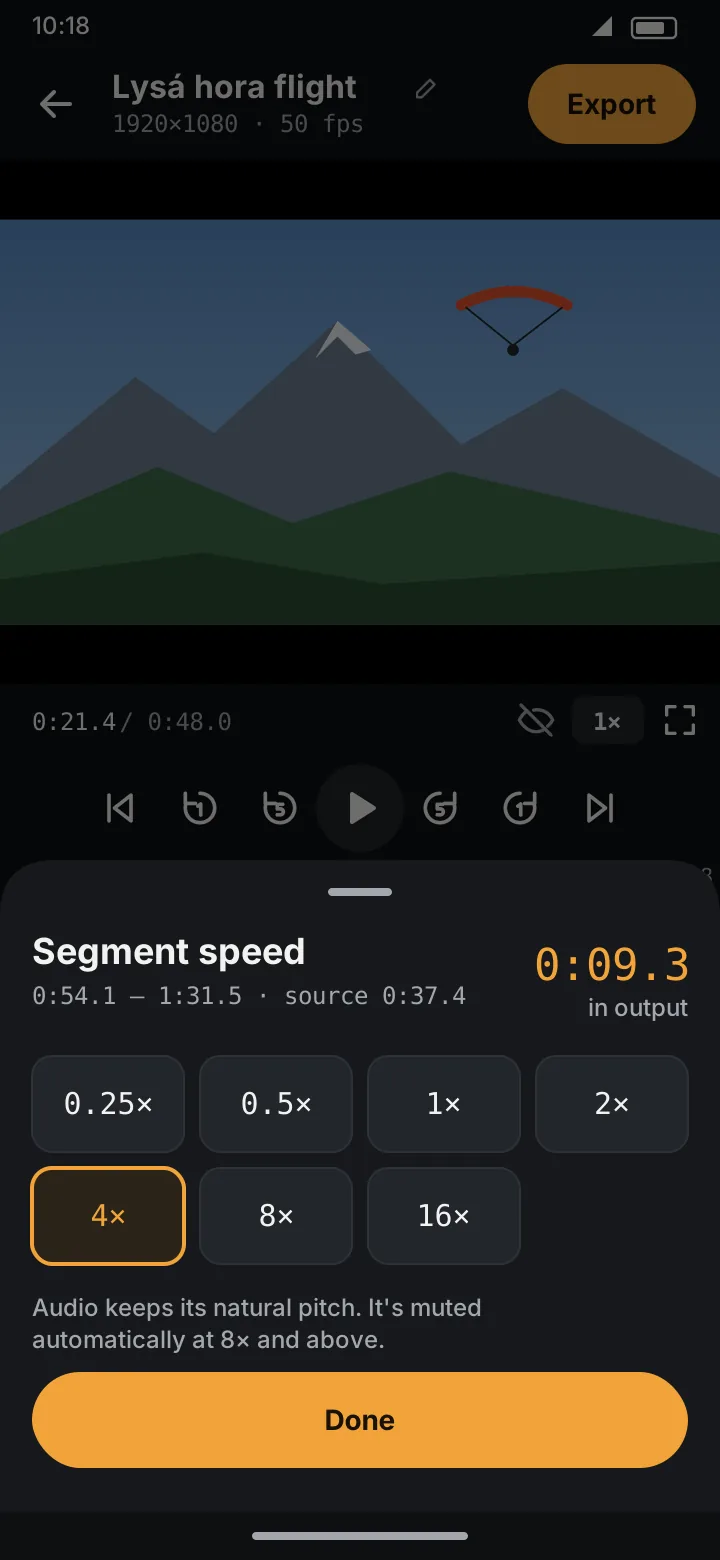
Set the speed
- Select the segment (tap it on the timeline). Split first if only part of it should change.
- Tap Speed.
- Pick a speed: 0.25×, 0.5×, 1×, 2×, 4×, 8×, 16×.
- Tap Done.
The sheet shows where the segment is in the original video and, in orange, how long it will be in the finished video. The segment's label on the timeline changes to the new speed, and the preview shows it in its corner.
Sound
- Up to 4×, the sound plays at the new speed but keeps its natural pitch (no chipmunk voices).
- At 8× and 16× the sound is muted, because it would be noise.
Back to normal
Select the segment, tap Speed, choose 1×.